Cloud Distribution Domestic Push Stream Address Retrieval Guide
Updated: 2024-11-21 16:20:19
Directory: WeChat Channels, Tmall Live, Douyu, Huya, Bilibili, Weibo/Yizhibo, Kuaishou (For other platforms, contact customer service for relay methods and requirements)
WeChat Channels
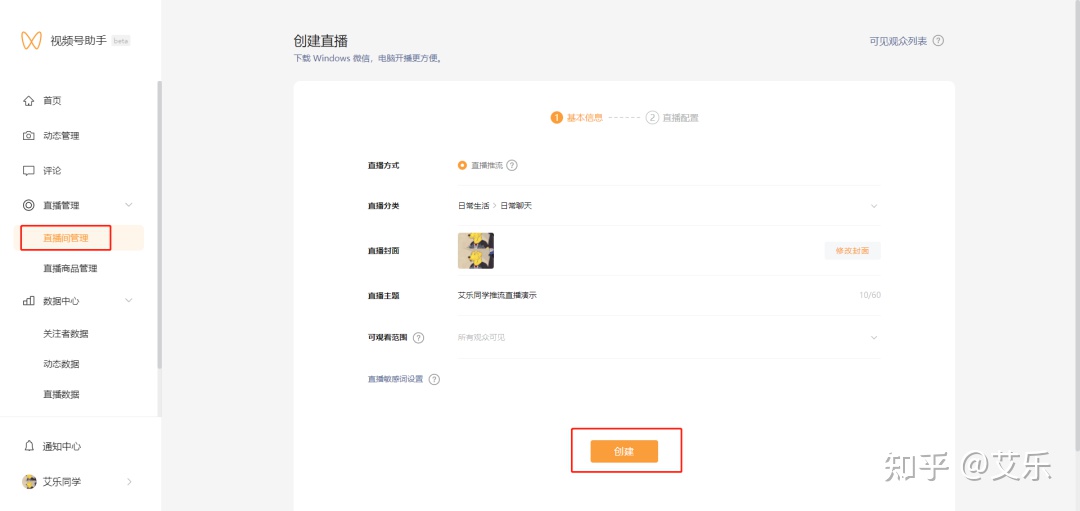
- Register a WeChat Channel and enable live streaming
- Download the WeChat Channel Assistant desktop client and authenticate your channel
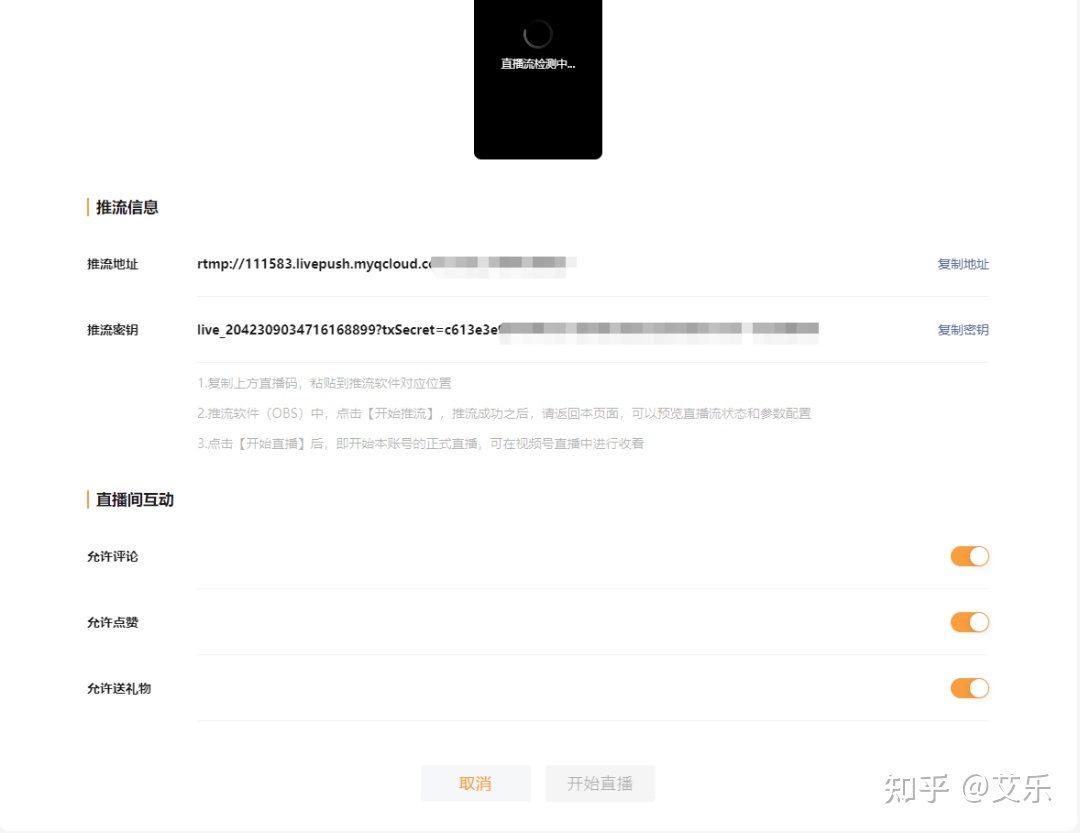
- After creating a live stream, you will see the push stream information, mainly the push stream address and push stream key. At this point, the "Start Live" button is grayed out and cannot be clicked. After configuring OBS and clicking "Start Streaming" in OBS, you can officially begin the live stream.
Tmall Live
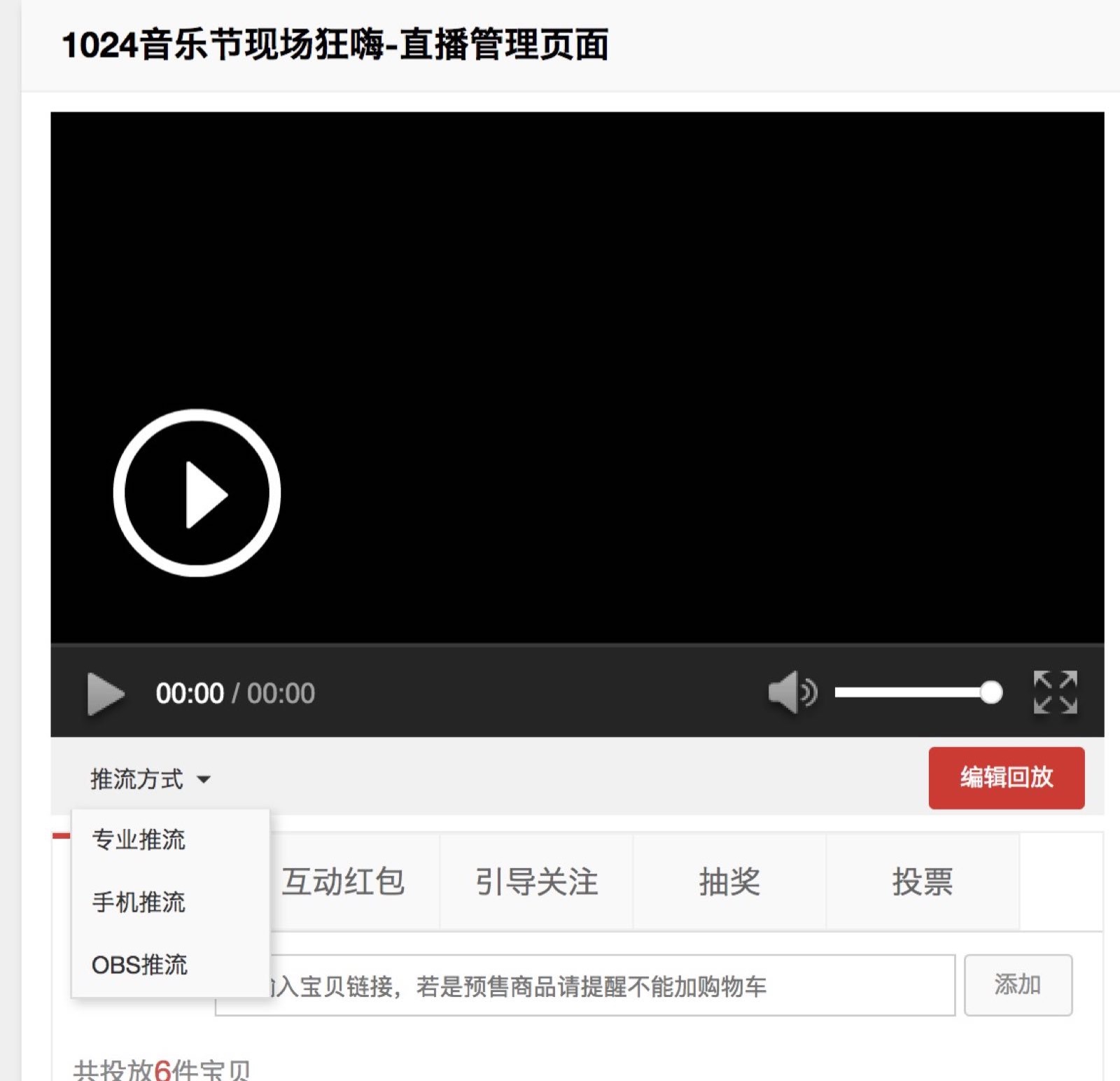
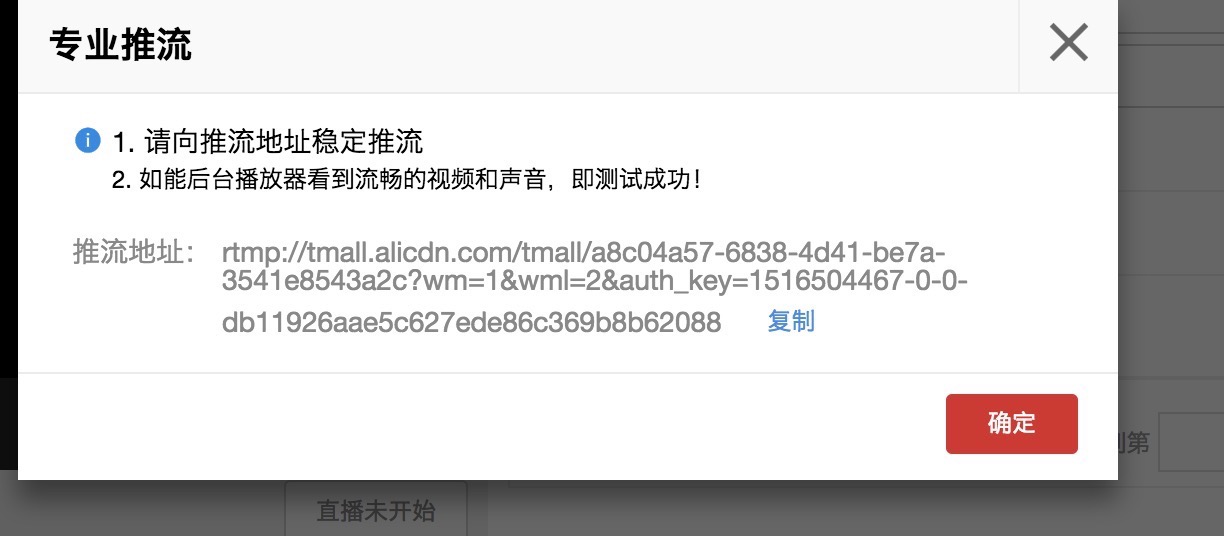
Requires becoming a Tmall seller. Log into the Tmall account backend, click "Start Live," and on the live streaming interface, select the "Push Stream Method" option. Choose one of the push stream methods to obtain the corresponding push stream address. The specific steps are as follows:
Douyu
- Open Douyu and log in
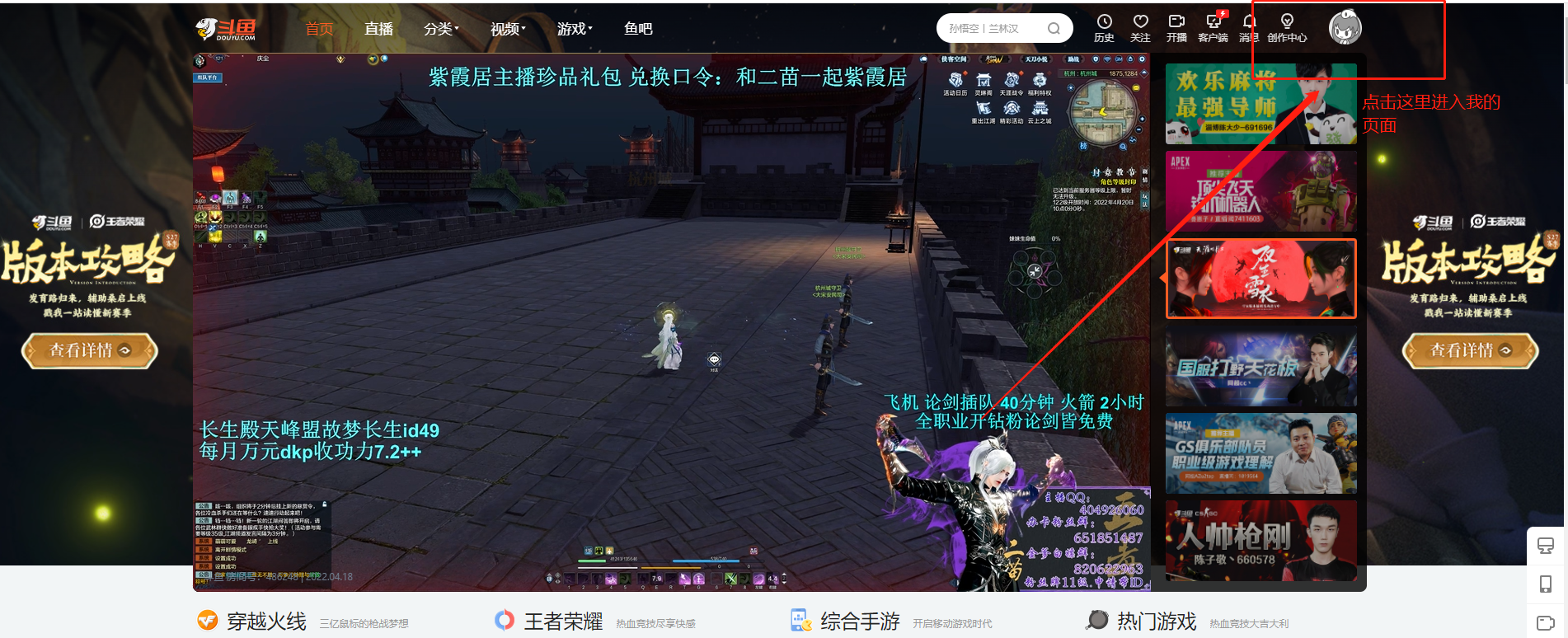
- Click on your avatar to enter "Personal Center"
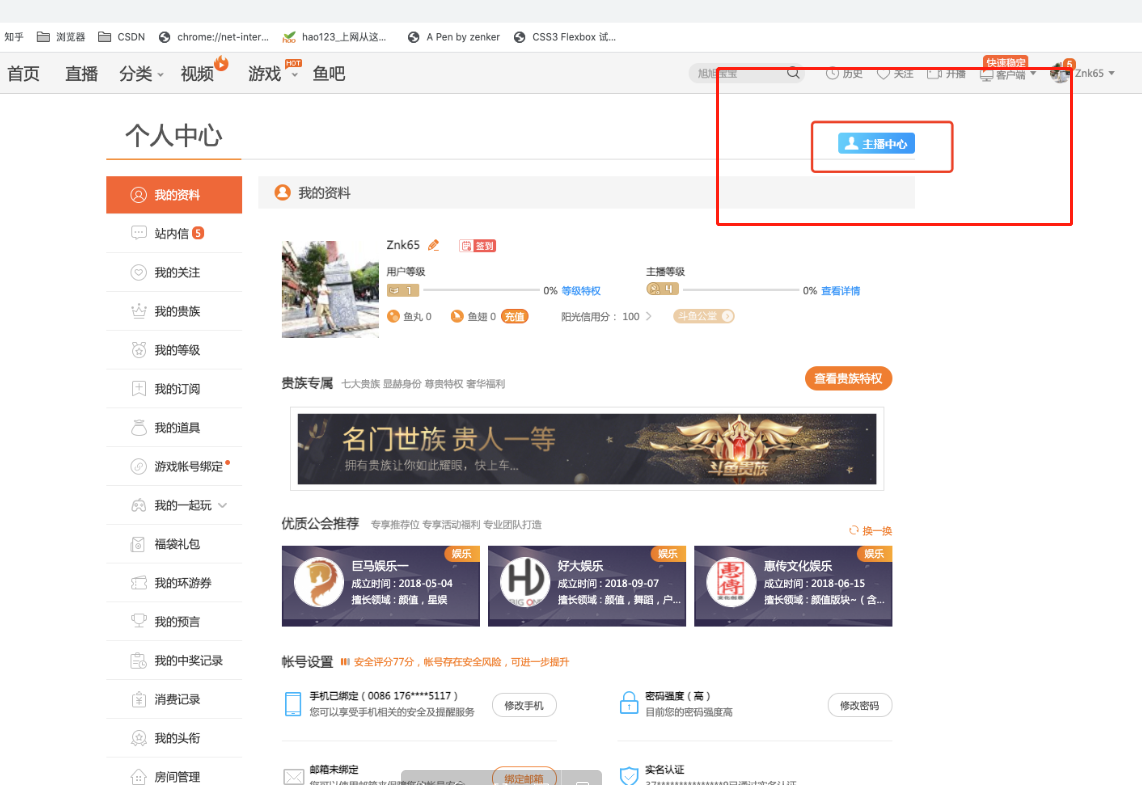
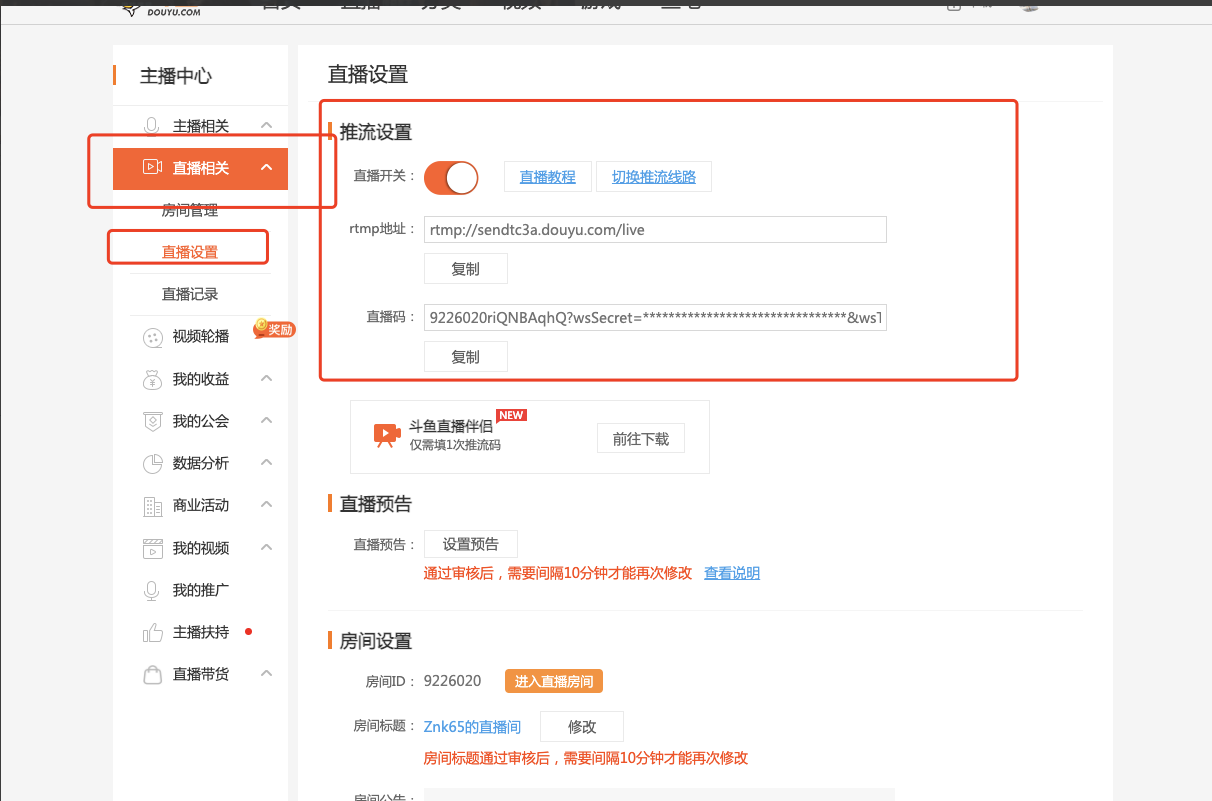
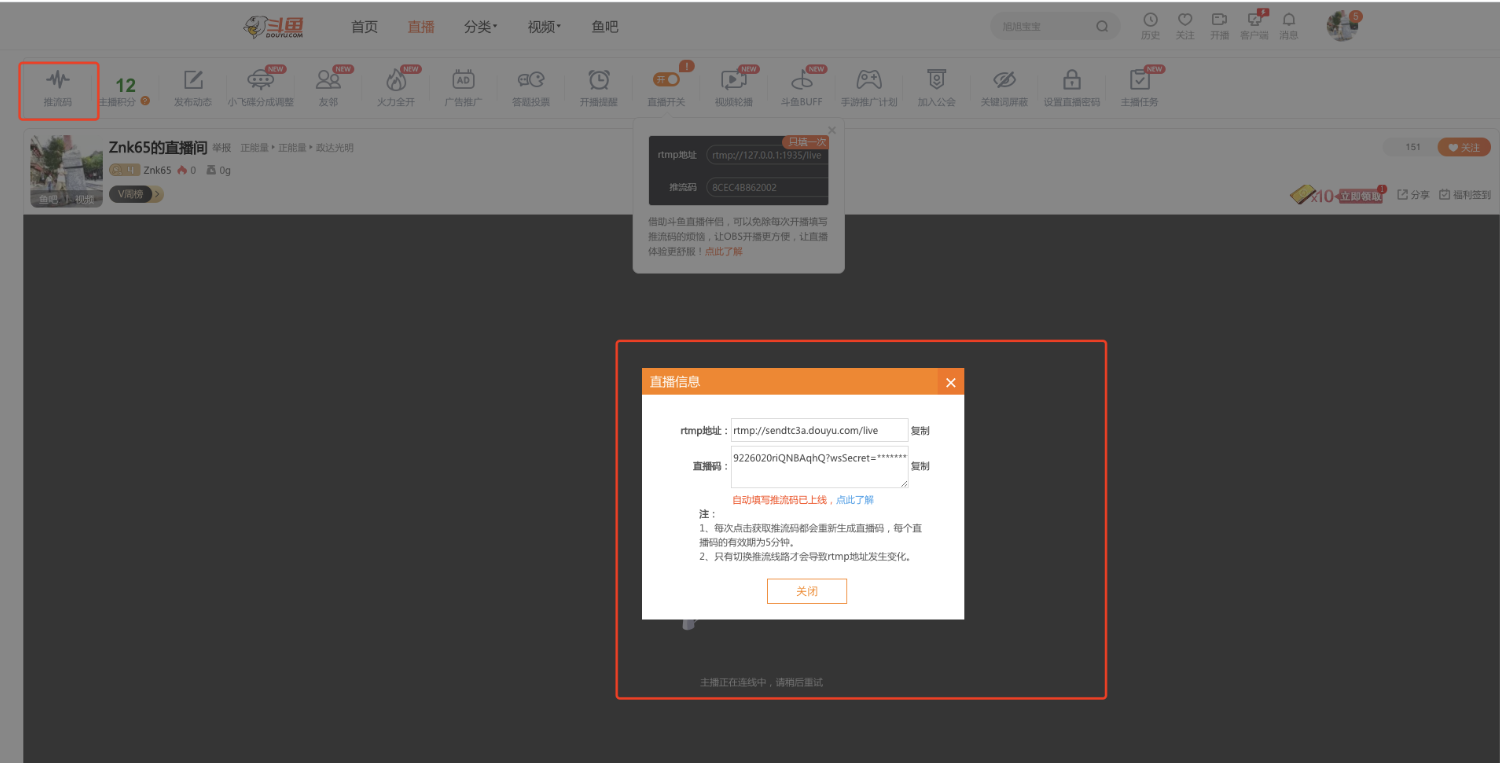
- In "Personal Center," click "Streamer Center," then open the "Live Streaming Related" collapsible panel, click "Live Settings," and turn on the live stream switch. (Note: The page will redirect to the live room page, where you can also obtain the push stream address.) You will see the "Push Stream Address" and can copy it.
Huya
- Open Huya and log in
- Click on your avatar to enter "Personal Center"
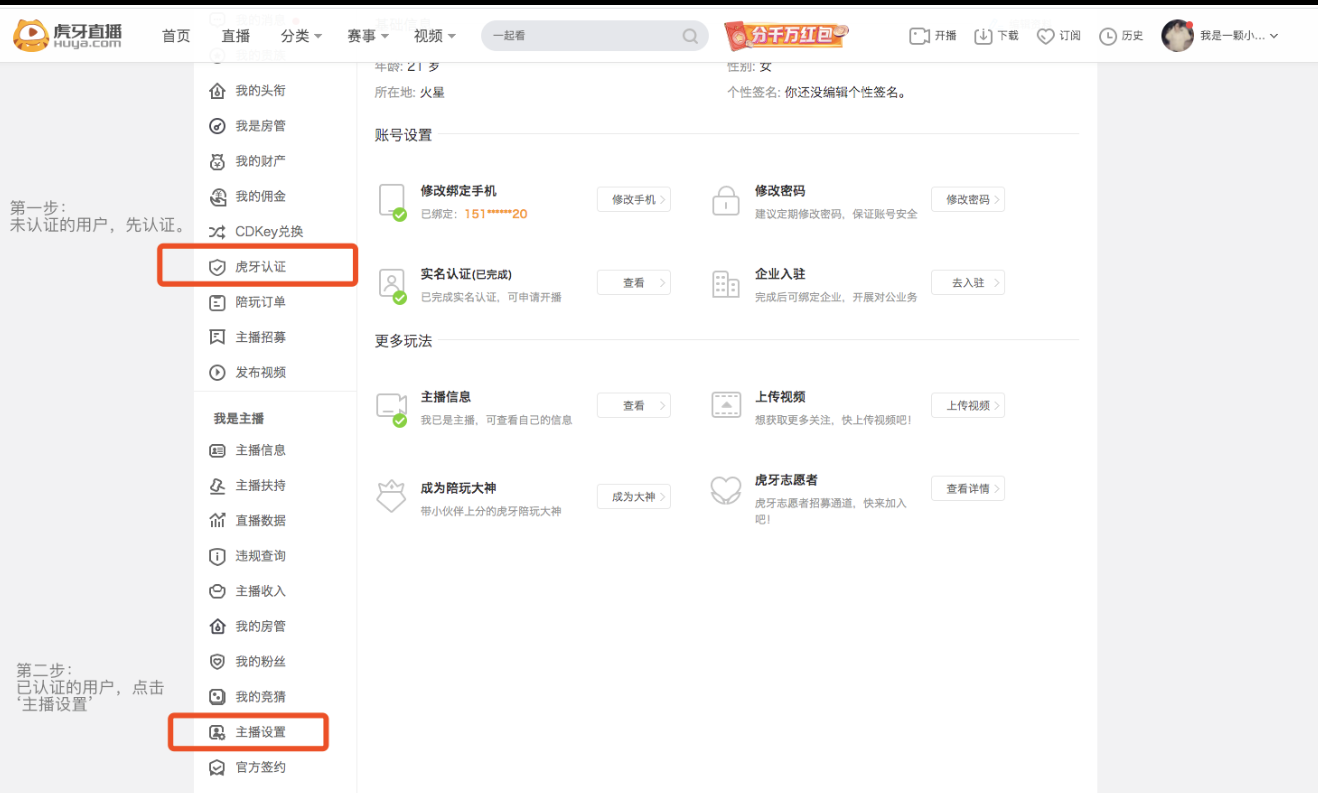
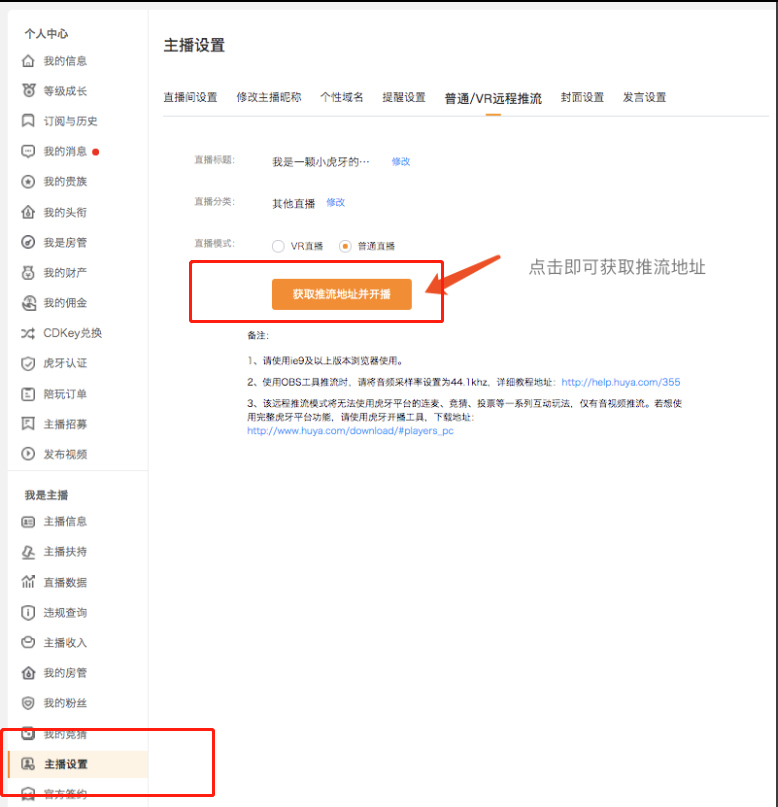
Step 1: Unverified users must first complete verification. Step 2: Verified users, click "Streamer Settings" Step 3: "Streamer Settings" > Normal/VR Remote Push Stream, click the "Get Push Stream Address and Start Streaming" button to obtain the Huya live room push stream address.
Bilibili
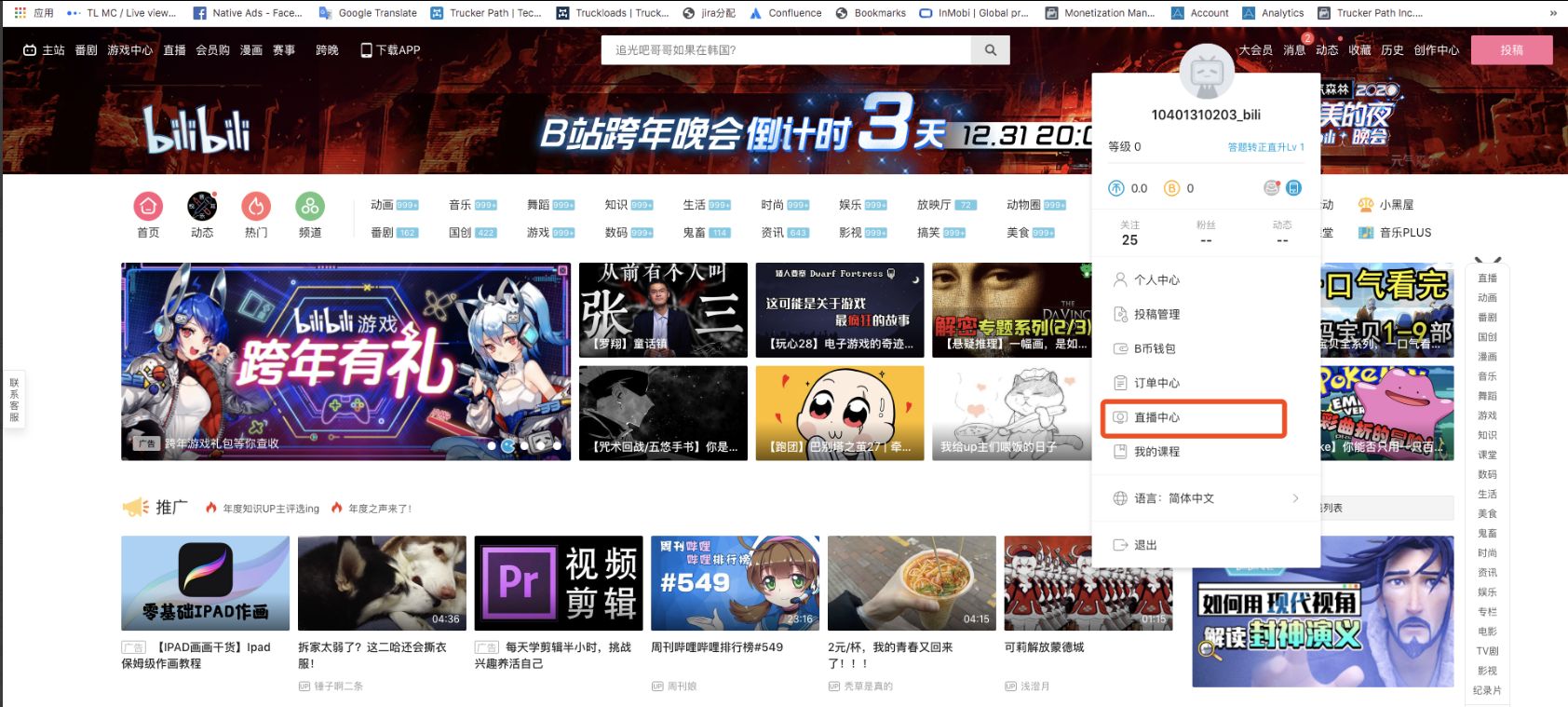
- Open Bilibili and log in
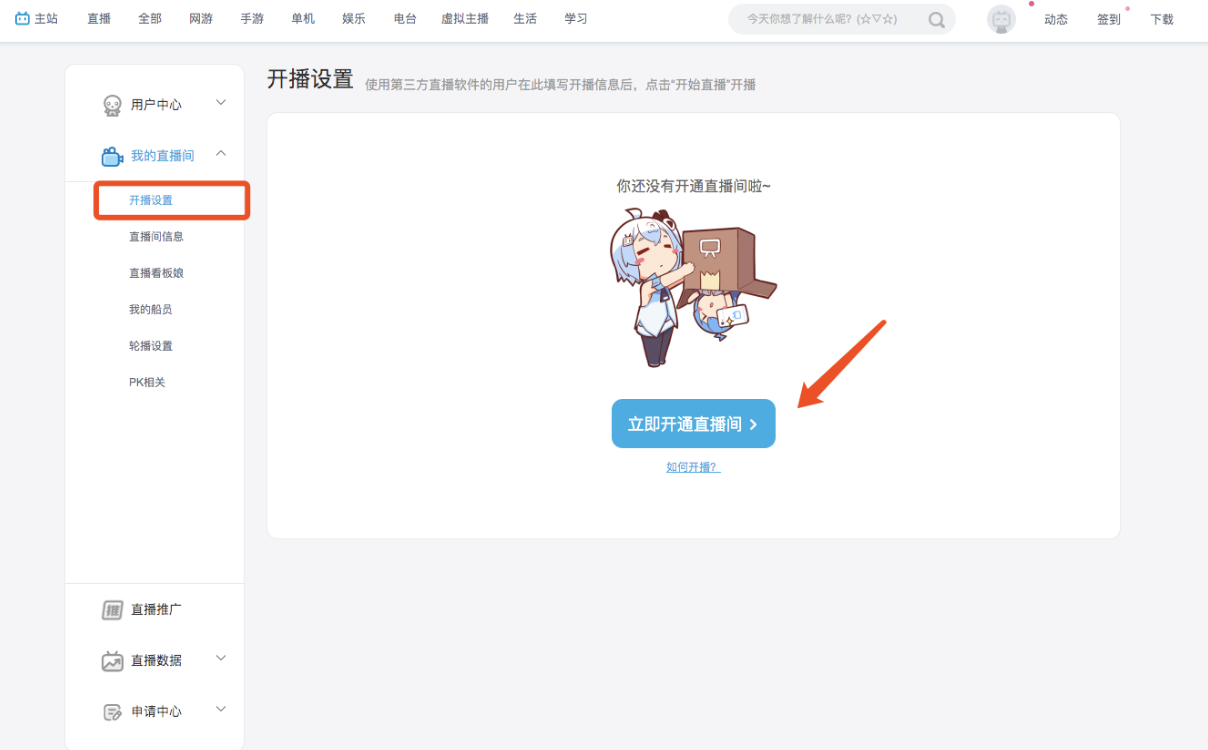
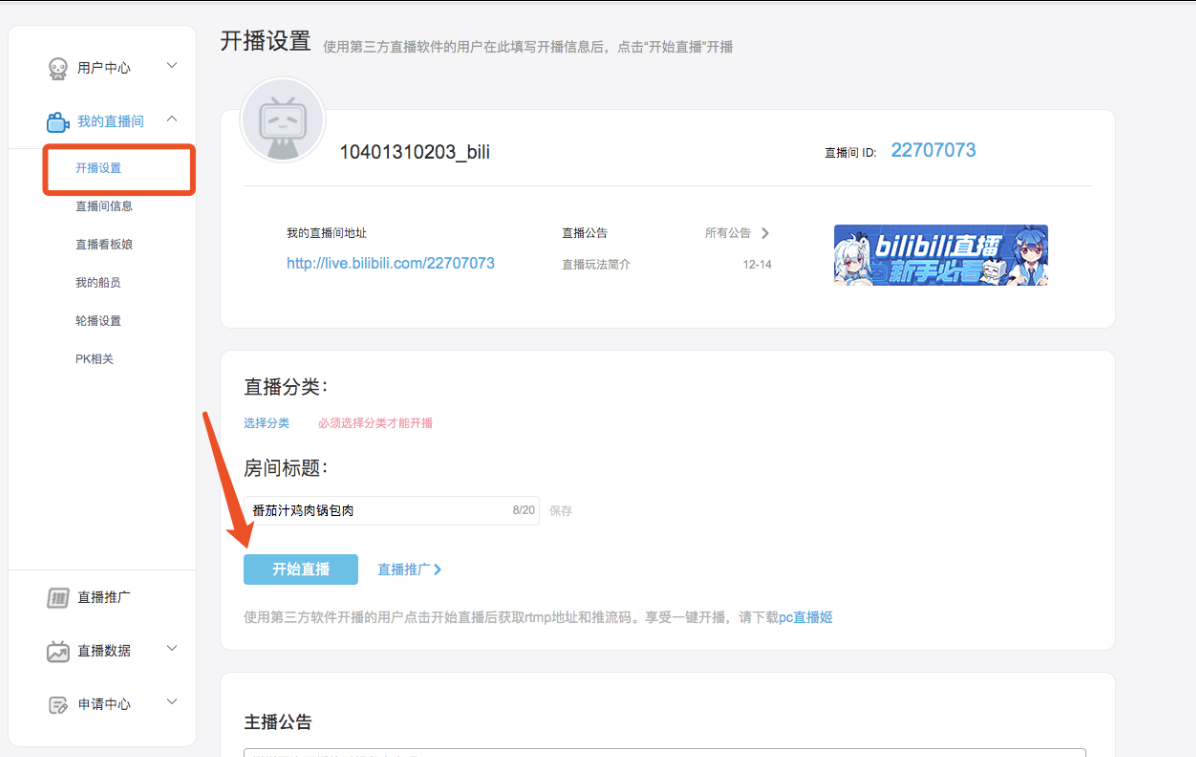
- Hover your mouse over your avatar and enter "Live Center"
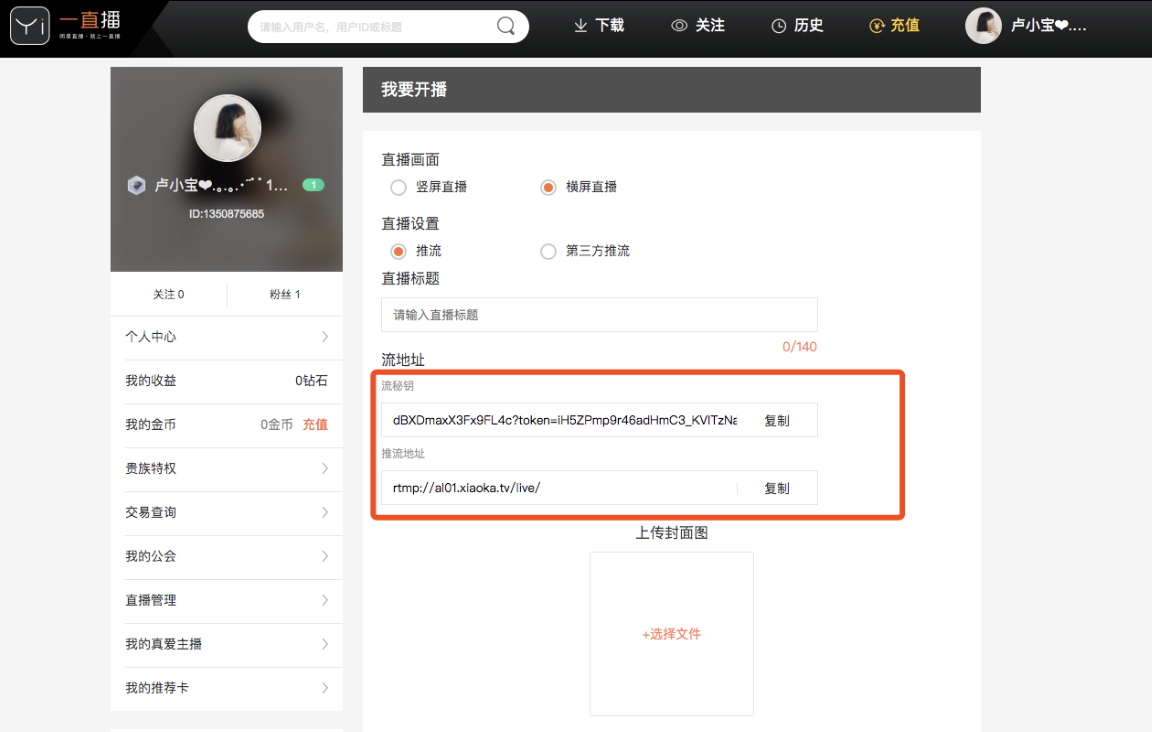
Weibo/Yizhibo
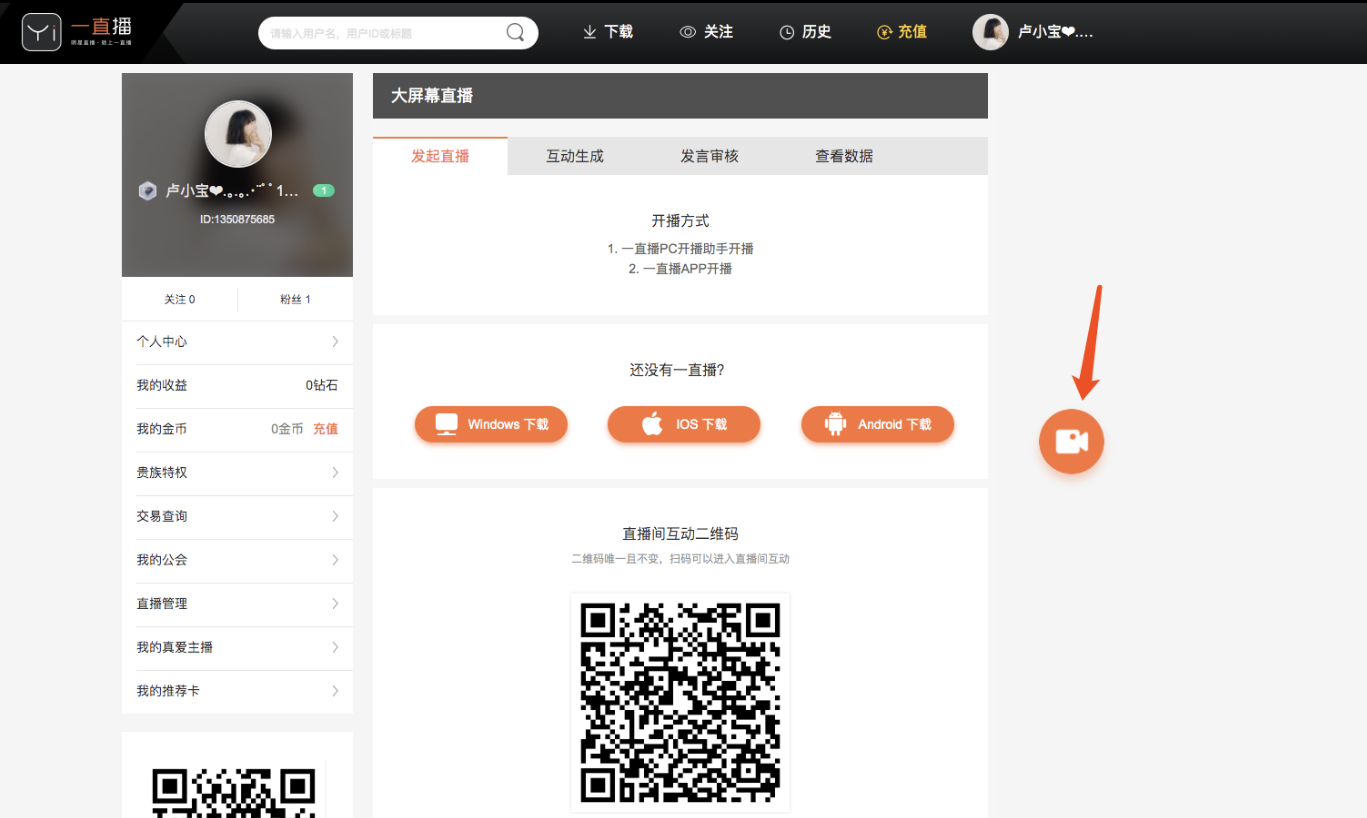
- Open Yizhibo and log in
- Hover your mouse over your avatar and enter "Personal Center"
Step 1: Unverified users must first complete verification. Step 2: Verified users, click the "Start Live" button.
Kuaishou
- Open Kuaishou
- Step 1: Unverified users must apply to start streaming in the Kuaishou App and complete verification. Step 2: Verified users.
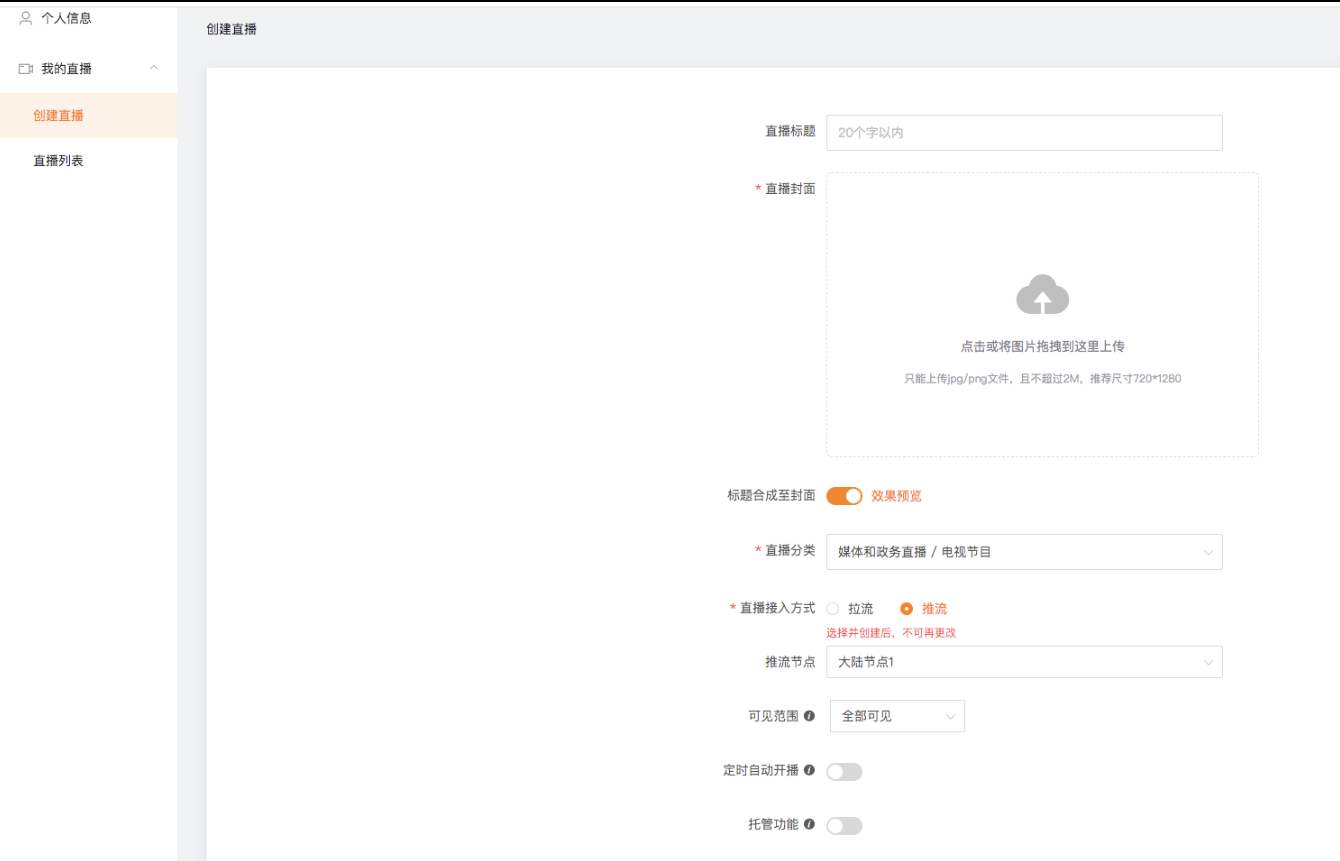
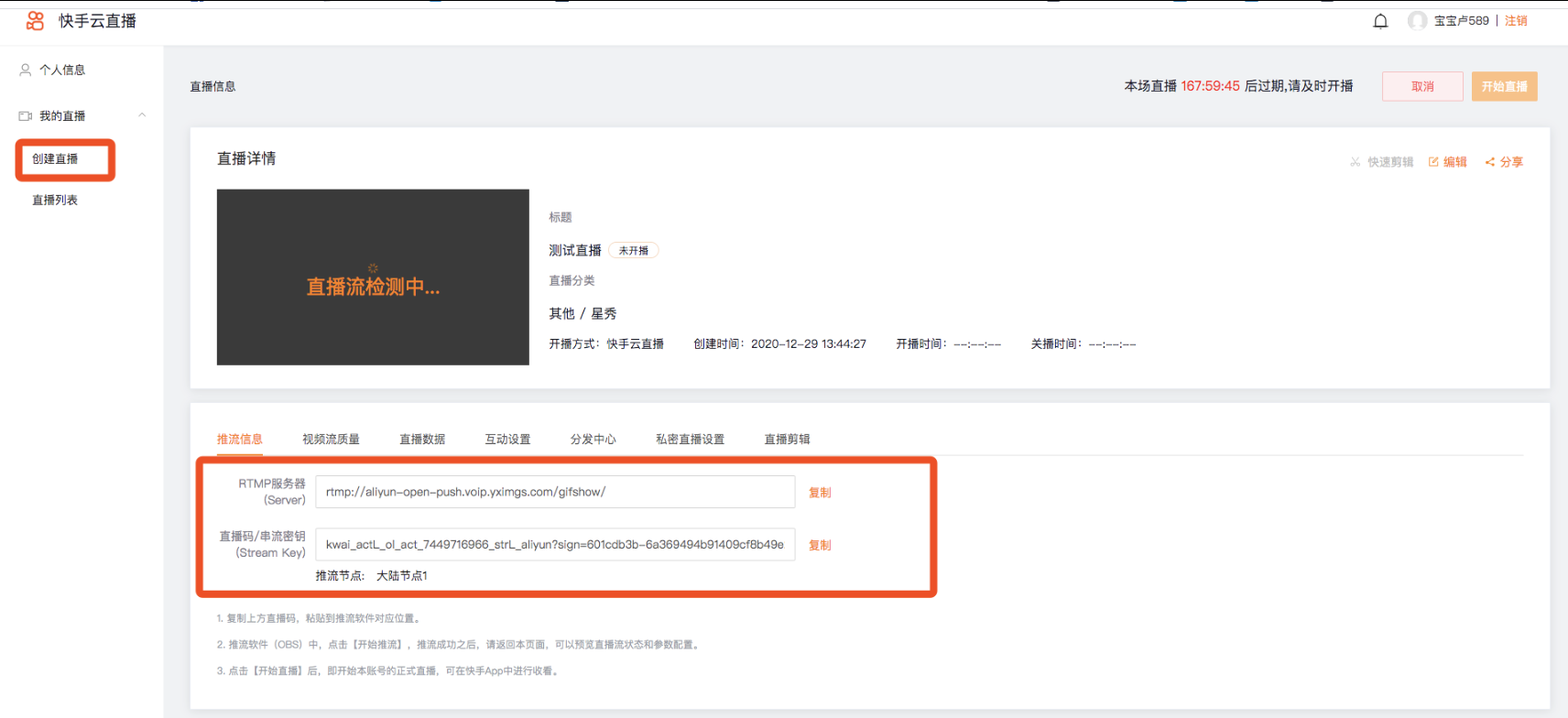
- In the left menu bar, select "My Live" > "Create Live," fill in the basic information, and click the "Submit" button to view the push stream information.